Moving an InDesign page to a different document
This post was originally posted on November 11, 2015 on Sketchbook B. It’s reposted here as part of a project to move some of my favorite writing to my new site.
NOTE: While this page may have useful insights, be aware that it was published more than 10 years ago and may not be relevant for current software versions.
This week, I needed to copy pages from one InDesign file to another. Thankfully, it’s super easy.
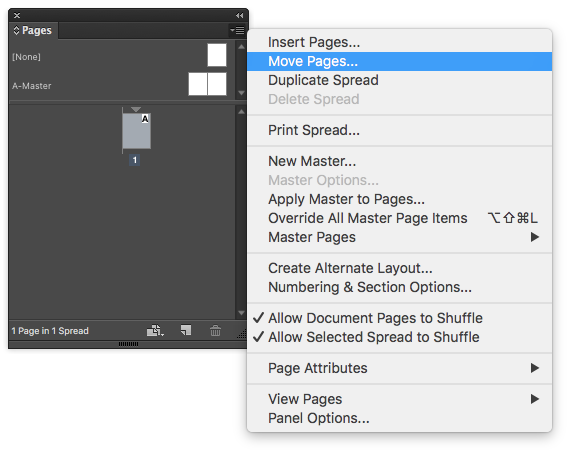
Select the page you want to copy from the pages palette. Choose “Move Pages…” from the flyout menu on the pages palette. (Or Layout > Pages > Move pages…)
You can then choose which pages* you want to move and where you want to move it. The default is to move the pages to another spot in the same document, but you can select any document that is open.
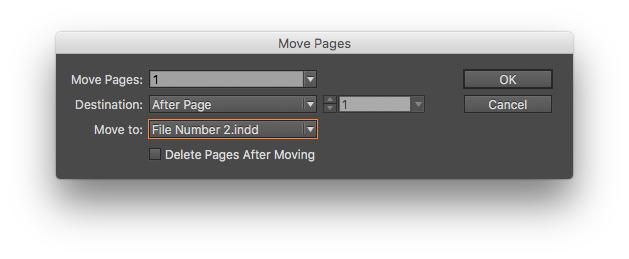
Select the destination with the “Move to:” combo box.
And you are done. As a bonus tip, there’s a similar trick in Photoshop, too, that I’ve written about in the past.
* In case you were wondering, it doesn’t matter if the documents you are merging are different page sizes.