QR Codes in InDesign
This post was originally posted on October 8, 2014 on Sketchbook B. It’s reposted here as part of a project to move some of my favorite writing to my new site.
NOTE: While this page may have useful insights, be aware that it was published more than 10 years ago and may not be relevant for current software versions.
InDesign will let you create a QR codes without leaving the application. Go to Object > Generate QR code… You’ll have options for hyperlink, text message, email, business card or plain text.
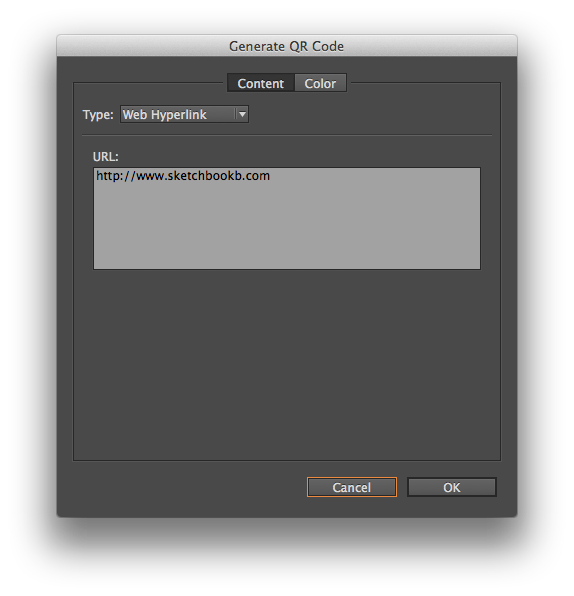
Once you have all the information filled out, you can then place the QR code like you would an image.
I will freely admit that I tend to avoid QR codes like the plague. I’m not convinced of their effectiveness. But sometimes, you need to use one and generating one without leaving InDesign is helpful.