Highlighting bad lines
This post was originally posted on August 27, 2014 on Sketchbook B. It’s reposted here as part of a project to move some of my favorite writing to my new site.
NOTE: While this page may have useful insights, be aware that it was published more than 10 years ago and may not be relevant for current software versions.
InDesign can highlight lines of text that are spaced badly. By default, the highlighting is turned off for justification issues. To turn it on, go to InDesign > Preferences > Composition… The highlighting options are at the top of the window:
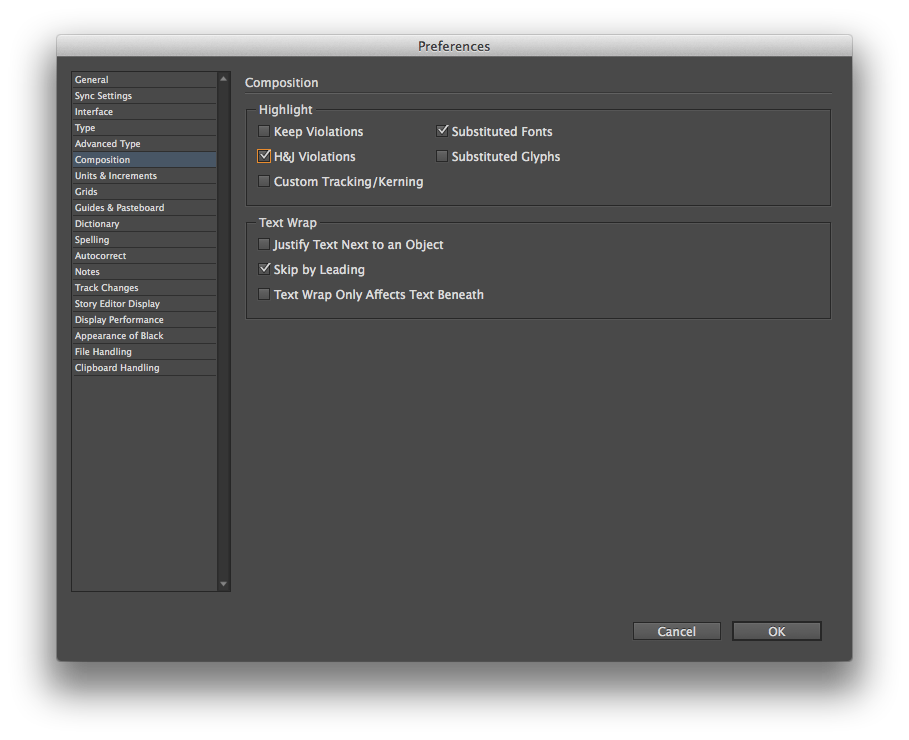
Turning on “H&J Violations” will highlight in yellow any place where InDesign can’t meet your hyphenation and justification settings. Here’s an example of a block of justified text with hyphenation turned off:
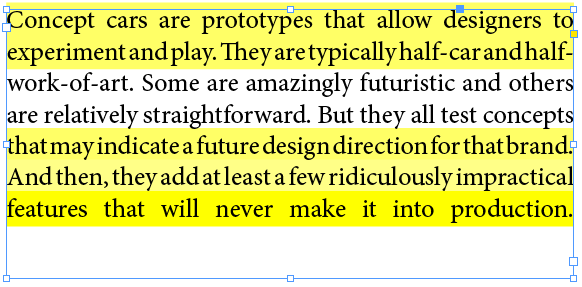
The worse the violation, the darker the yellow highlight is. Here is the same passage with hyphenation turned on:
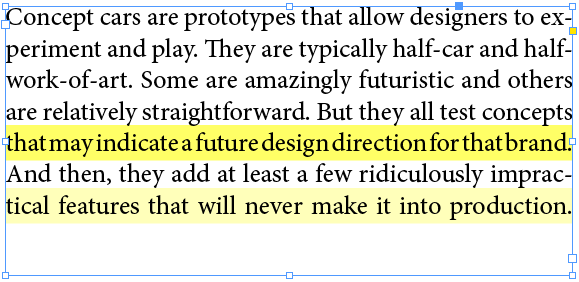
Obviously, allowing InDesign to hyphenate and handle the bad breaks results in much better spacing.
I try to avoid full justification because of the issues that almost always come up with the spacing. But sometimes, you have to justify. And when you do, it’s easier to spot and fix badly spaced lines with the highlighting turned on.