Ice on car

Ice on car
Little brother patiently waiting for his sister’s gymnastics class to be over.

Sunday Snowday

This post was originally posted on March 12, 2017 on Sketchbook B. It’s reposted here as part of a project to move some of my favorite writing to my new site.

The fifth post in my ongoing series on conventional wisdom.
In 1670, John Ray published the proverb ”The early bird catcheth the worm." More than three centuries later, we’re still obsessed with being first.
First to post something on social media.
First to buy the newest gadget.
First to meet with a client.
But let’s take the proverb to its unstated, but logical conclusion: “The early bird gets the worm; the lazy, slacker second bird gets nothing.” And I’m not sure that’s good advice.
There are absolutely advantages to getting there first. If you are the first company to bring a new product to market, you have a distinct advantage against your competitors. In news, being the first to report “breaking” news draws viewers.
But our obsession with being first doesn’t always make a whole lot of sense. You don’t have to be first to be successful. I might argue that:
Your business strategy might be build around getting the “early worms.” The tech company with a cutting edge product gets the early adopter consumer who will pay a premium. Many companies have successful business strategies centered around being first.
But there are also advantages to being second. You can see what your competitor is doing. Learn from their mistakes. You might miss out on the “early worms,” but in today’s international marketplace, there are plenty of “worms” all over the world to sell to.
Apple is one of the world’s most valuable companies. They weren’t the first to develop the computer. Or the portable music player. Or the smartphone. They don’t try to always be first. They strive to be the best. And they’ve been successful with that strategy.
So there is a reason to be first. And a reason to be second.
Bob Wertz writes about design, technology and pop culture at Sketchbook B. Bob is a Columbia, South Carolina-based designer, creative director, college instructor, husband and dad. He’s particularly obsessed with typography, the creative process and the tools we use to create. In his spare time, he is trying to get more sleep and wake up earlier… Follow Bob on Twitter and Instagram.
B or 13?

This post was originally posted on February 26, 2017 on Sketchbook B. It’s reposted here as part of a project to move some of my favorite writing to my new site.

The fourth post in my ongoing series on conventional wisdom.
We all know the story of the tortoise and the hare. It’s one of Aesops fables and has been a staple of conventional wisdom since around 600 BCE.
The hare challenges the tortoise to a race. Gets cocky. Takes a nap in the middle of a race. The tortoise passes him and wins. And the moral of the story is: Slow and steady wins the race.
Wait! Except that’s not the moral at all. The moral is “Don’t get cocky and lose focus.” The tortoise was slow and steady, and yes, he wins. But if the hare doesn’t goof off, the tortoise loses in a landslide.
So why do we all remember “slow and steady wins the race?” Because I think it’s a comforting thought. If you work slowly and methodically, you will succeed no matter how quick your competition is. I fear that’s bad advice in today’s fast moving world.
I hear echoes of “slow and steady” all the time, with the distinct impression that slow somehow equals strategic and fast equals reckless. I don’t buy into that. I think it’s a oversimplification of reality.
First of all, everything depends on the “race.” I could believe that slow and steady wins the really long endurance race. But fast always wins in a shorter race.
I’m still not sure that’s right, though. There are people and companies that can move quickly without losing focus. And those people are going to win the short races and the long races, too.
Perhaps the true moral of the story has nothing at all to do with speed and everything to do with consistency:
Let’s just take speed out of the equation. Being consistent is key. Don’t slack off if you have a lead. Don’t quit if you fall behind.
The hare wasn’t true to his talent, slacked off and lost focus. The tortoise moved as fast as he could. In the end, the tortoise’s consistency was the key to success — not his slow pace.
Bob Wertz writes about design, technology and pop culture at Sketchbook B. Bob is a Columbia, South Carolina-based designer, creative director, college instructor, husband and dad. He’s particularly obsessed with typography, the creative process and the tools we use to create. In his spare time, he is trying to get back into running… slowly.
What I’m doing today.

Spring

This post was originally posted on February 21, 2017 on Sketchbook B. It’s reposted here as part of a project to move some of my favorite writing to my new site.

The third post in my ongoing series on conventional wisdom.
We’ve all heard the classic saying “If at first you don’t succeed, try, try again.” Don’t give up! Determination will win the day! Increased effort is the solution to all problems.
The saying was popularized by William Hickson, a British education writer in the mid-1800s. The full phase is:
‘Tis a lesson you should heed:
Try, try, try again.
If at first you don’t succeed,
Try, try, try again.
The rhyme was obviously intended for to encourage school children to keep up their studies until they mastered a concept. But this simple message has grown into so much more than that.
The message that “effort solves everything” is ingrained in the American psyche. I’ve seen this phrase used by parents, managers, teachers, pastors and coaches. I’ve even used this phrase with my kids and my students. It’s intended to be inspirational, right? Just try harder and you, too, can succeed.
Often, it’s shortened to just be “Well, if at first you don’t succeed…” and endless and continuous effort is simply implied as an obvious next step.
Is this good advice for kindergarteners learning to ride a bike? Sure. Is this good advice for business? Not really.
“If at first you don’t succeed, try, try again” implies that no matter what, you need to stay the course. If you try harder, you’ll eventually get it. And if you fail, it’s your fault for not trying harder.
You’ll pass the test.
You’ll make the sale.
You’ll solve the problem.
But all this focus on effort ignores one significant fact: Sometimes, no matter how hard you try, you fail.
Repeating the same approach over and over might not get you closer to a solution. It only wastes time and resources. Effort is only part of the solution.
So how about an adjustment to the classic saying:
Once you understand why you failed, it’s easier to figure out a path forward. If you are headed the wrong way, continuing ahead blindly only gets you further from your goal.
Effort alone can’t always solve the problem. If you don’t know how to study for a test, studying more won’t help. Working harder won’t help your sales staff sell a flawed product. When you evaluate what went wrong, you’ll often find an better solution.
Every so often, you’ll find the goals that you’ve set are unachievable. I’m not advocating quitting, but there are times and situations where no amount of effort is going to help you reach an impossible goal. That’s okay. Reevaluate your priorities and figure out the next step.
Bob Wertz writes about design, technology and pop culture at Sketchbook B. Bob is a Columbia, South Carolina-based designer, creative director, college instructor, husband and dad. He’s particularly obsessed with typography, the creative process and the tools we use to create. In his spare time, he is annoying his kindergarten-teacher wife with this post.
Fun night with my team at the Addy Awards. And we managed to catch Liz’s guitar teacher’s band at the Art Bar.

Pink lights.

Main Street

George.

Latte.

This post was originally posted on February 12, 2017 on Sketchbook B. It’s reposted here as part of a project to move some of my favorite writing to my new site.

The second post in my series on convention wisdom. Check out the introduction to the series…
When was the last time you killed a bird with a stone? Yeah, me neither. The idea of “killing two birds with one stone” is old, dating back to the 1600s. So what’s the story with this 400 year old piece of wisdom?
It seems pretty straightforward: accomplish two goals with one effort. People use the phrase at home and in business all the time. But if you dig down into the metaphor, it’s anything but simple.
Accidentally killing two birds with one stone is a lucky bit of good fortune, but trying to kill two birds with one stone is a trick shot. The degree of difficulty is high. The birds need to be aligned perfectly. You’ve got to pick the right angle. You need to be a little lucky. You might only get one bird and you might miss both all together.
Planning to kill two birds with one stone only makes sense if you must kill two birds and you have only one stone. If you only need one bird, target that bird and make sure you don’t miss. And if you have more than one stone, use them.
Let me translate that into modern terms.
If you happen to accidentally solve two problems with one solution, that’s awesome.
If you plan to solve two problems with one solution, be prepared that you might not solve either problem. If you really care about solving a problem, develop a solution for that issue specifically. In other words:
And if the “bird” is big enough, you may need to develop multiple tactics to address the issue:
Most people try to kill “two birds with one stone” because they lack the resources, time or energy to fully attack both issues. But it’s a strategic flaw. A lack of focus. More often than not, this approach results in bad solutions.
I can’t tell you how many times I’ve seen organizations shortcut good strategic thinking and try to quickly solve multiple problems with one solution. It almost always ends up as a mess, takes longer and costs more. In the end, no issues are adequately solved.
If you are serious about solving problems, take aim and focus directly on the issues at hand. You’ll be much more successful in the long run.
Bob Wertz writes about design, technology and pop culture at Sketchbook B. Bob is a Columbia, South Carolina-based designer, creative director, college instructor, husband and dad. He’s particularly obsessed with typography, the creative process and the tools we use to create. In his spare time, he is thinking about taking up bird watching.
Got my annual #CarolinaDay picture with Cocky.

Great to have the Governor at #CarolinaDay.

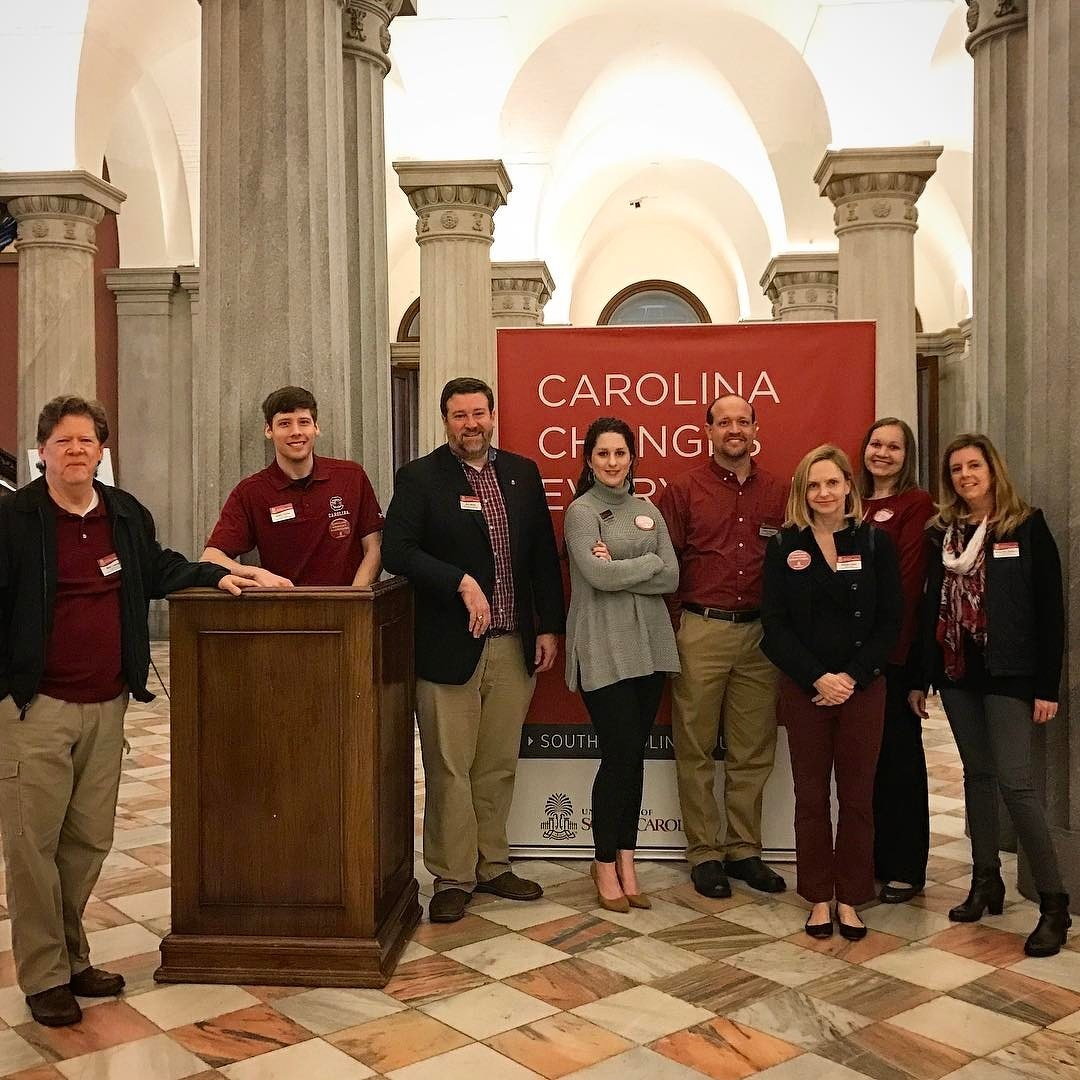
USC Creative Services team picture. In our garnet for #carolinaday
This post was originally posted on January 20, 2017 on Sketchbook B. It’s reposted here as part of a project to move some of my favorite writing to my new site.
–

A few months ago, I wrote a blog post about what would happen if Twitter disappeared or became unusable. I started to explore other options for connecting with others in the design community. I started posting to Dribbble again1 and I started playing around with Medium.2
Last week, while listening to my usual playlist of podcasts, I stumbled on a couple of discussions about Manton Reese’s Indie Microblogging Kickstarter project.
I backed it instantly.
The Kickstarter has two parts: A book and a service.
The book will detail a framework for independent microblogging… basically a standards-based system for posting and sharing Twitter-like posts.
The service is Micro.blog. And it’s a fascinating attempt to make it as easy as possible to host your own micro blog, basically a decentralized version of Twitter.
I think Manton’s got some great ideas. And I think his heart is in the right place. I love the idea of leveraging RSS for the underpinning of the service. I think 280 characters is great. The iPhone app supports Markdown. You can use your own domain for free or pay $5/month for Micro.blog to host your microblog. An API that others can use to hook into the service. And oh yeah, and the name is perfect.
The Kickstarter project was funded on the first day. And he’s now got a stretch goal — $80,000 — to help fund a community manager to shape the service and actively address the bullying and nastiness that is rampant on Twitter. I don’t know if he’ll make the stretch goal, but I love that he’s already thinking about this.
Also, remember in the early days of Twitter, before they cracked down on the API usage, when third party developers were extending and improving the service. I hope those developers throw everything they’ve got at supporting Micro.blog.
Many people are skeptical that Micro.blog will blossom into a sustainable full featured Twitter replacement. And I completely get that. Look at all the failed attempts to replace or replicate the functionality of Twitter of the years. It’s tough to build a large user base for a new social media site and it’s too early to tell if Micro.blog will take off — after all, the service hasn’t even launched yet. But I think the service and the concept are the right idea at the right time. I’m looking forward to using the service and watching it develop in the coming years.
I’m excited about Micro.blog and about the plan to use RSS to power what is essentially an independent version of Twitter. If you are concerned about the future of Twitter and social networks, I really encourage you to head over to Kickstarter and back the Indie Microblogging project.
Bob Wertz is a creative director, type designer, Ph.D. student and researcher living in Columbia, South Carolina. His blogging journey started in 2008 with a Squarespace hosted blog.
Picked up a cool shell in the surf. Turned out it was a cute little crab.